Point at the exact lines.
Select a range and copy a reference — or its link on GitHub, GitLab and similar hosts.
See
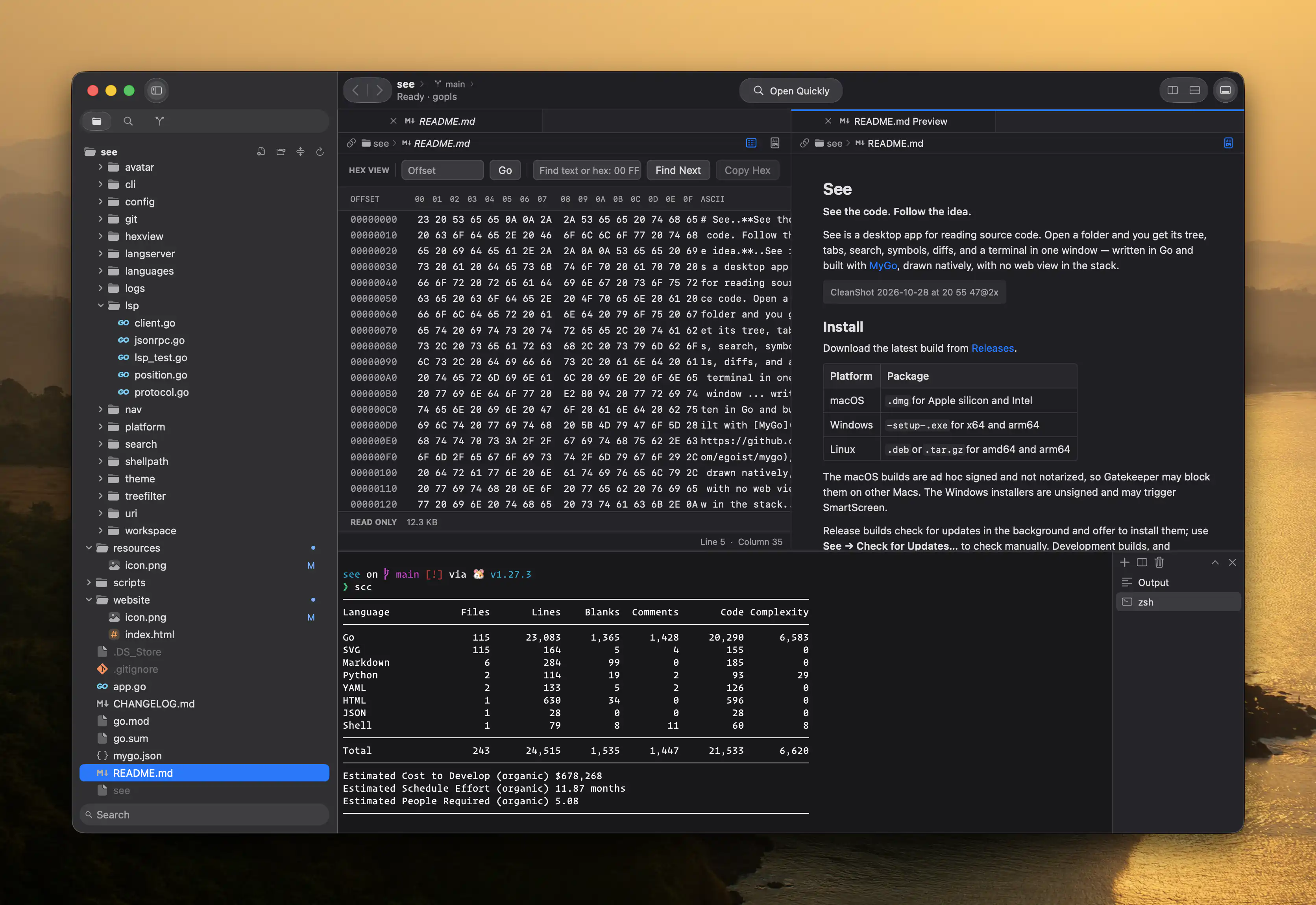
A desktop app made for reading source code. Tree, tabs, search, symbols, diffs and a terminal — in one quiet, native window.
Free · macOS, Windows and Linux · v0.1.17
Built for reading
Open a folder and start reading. See keeps the tools you reach for while understanding code one keystroke away — and keeps out of the way the rest of the time.
Select a range and copy a reference — or its link on GitHub, GitLab and similar hosts.
Fuzzy-find files, search workspace symbols, and step back and forward through where you've been.
Case, whole word, regular expressions and path filters, across the whole workspace.
Diagnostics and hover help for Go, TypeScript and JavaScript through language servers.
Several folders in separate windows, files in tabs, editors split across or down.
Stage, unstage, commit and discard. Open any change as a diff, with line counts right in the navigator.
Read a commit's message and files, then open any file as a diff. Fetch, pull and push from the toolbar.
Tabs and split panes, rooted in the open workspace.
Natively — and any file as hexadecimal bytes when text is not an option.
Editor and terminal preferences, recent folders, and a notice when files change on disk.
Native, all the way down
See is written in Go and built with MyGo. Every pixel is drawn natively — so it opens fast, scrolls smoothly, and feels at home on your desktop.
The see command
Install the see command from the command palette, then open any folder or file without leaving the terminal.
If See is already running, the path is handed to it — an open folder comes forward, a file opens in the window that holds it.
# open the current folder
~/code/see $ see .
# open a file in its parent folder
~/code/see $ see internal/git/history.go
# or any project, anywhere
~ $ see ~/code/mygo
Download
Free, with updates checked quietly in the background.
macOS builds are ad hoc signed and not notarized, so Gatekeeper may block them on first launch. Windows installers are unsigned and may trigger SmartScreen. Prefer to build it yourself? Run go tool mygo build — see the README.